Your conversations. Your data. Your control.
AI meeting intelligence without cloud dependency. Skjald records, transcribes and writes up your meetings on your own device by default. No bot joins the call, and you need no account to use it.
Your meetings shouldn’t become someone else’s data.
A board meeting. A client call. A difficult conversation with a colleague. Many AI meeting tools only start to help once that conversation has been sent to someone else’s servers.
There it is processed on their machines, under their terms, and kept for as long as they decide. Somewhere along the way, that became the price of a good summary.
There is a better way. AI should give you more control over your information, not less.
AI doesn’t have to mean the cloud.
Intelligence without surrendering control. Four principles decide how Skjald is built.
Independence
You shouldn’t need a US cloud provider, or any cloud provider, to understand your own meetings. Skjald does the work on the phone, tablet or computer you already have.
Ownership
Your conversations, recordings and transcripts are yours, not an asset for someone else’s AI business. On your device they never reach us, and Skjald does not use them to train models.
Control
You decide what is recorded, processed, stored, exported or shared. Delete one meeting or everything, choose how long audio is kept, and send only what you choose to send.
European values
Technology that supports Europe’s ambition for digital independence, privacy and technological sovereignty, and gives people a genuine choice.
Intelligence that runs where your data lives.
Skjald brings the models to your meetings instead of sending your meetings to the models. The speech and language models are downloaded to your device once and run there.
On the device
On iPhone and iPad, Skjald records the microphone: the room, and your side of a call. On a Mac it also captures the audio of the call app you use. No bot joins.
Speech to text, locally
Open speech models, Whisper and Parakeet, turn the recording into text on your phone or computer.
A model on your device
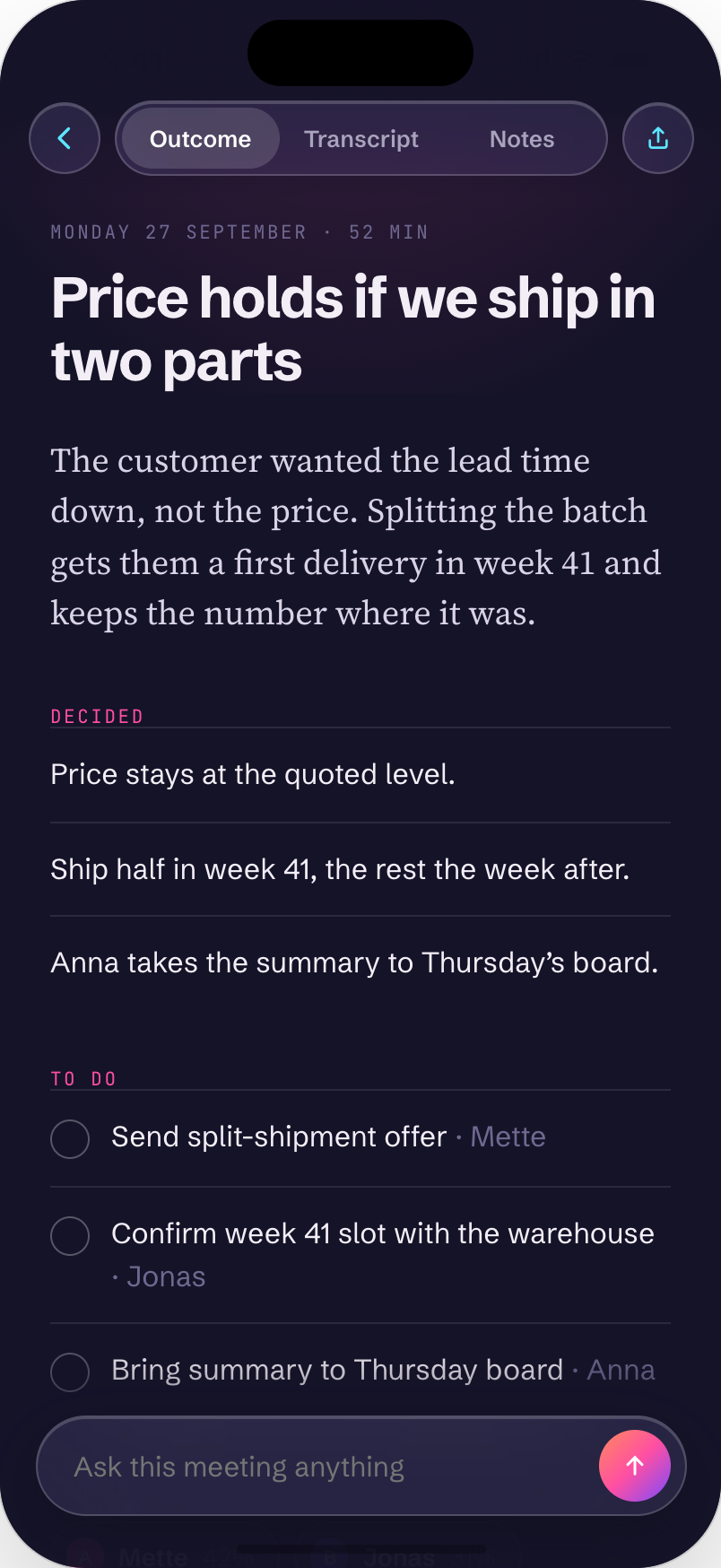
A language model stored on the device, run with llama.cpp, writes what was decided and what to do, with an owner when one was named.
Answers with sources
Ask a question about a meeting and get an answer with timestamps that jump to the transcript.
What can leave your device, and when.
Skjald transcribes on your device by default. Your audio and text leave it only if you turn on Skjald Cloud or pick an outside AI provider. Cloud deletes results within 24 hours.
- Skjald Cloud, only if you turn it on. That meeting’s audio is then uploaded to be processed.
- An outside AI provider (Claude, Groq or OpenRouter), only if you pick one. The text it needs is then sent to that provider, and Skjald tells you when this is on.
- What you send: by mail, as a PDF or Word file, or to a webhook you set up yourself.
- Calendars you connect: with Google or Outlook connected, Skjald reads your events from that provider. It never writes to your calendar.
- Model downloads: the models come once from their public hosts, which see your IP address like any download. No meeting data is involved.
Once the models are on your device, Skjald can write up meetings with no connection, and the app shows where each meeting was processed. Read the full privacy policy.
Everything you need. Nothing you need to surrender.
Decided and to do
Every meeting reads the same way: a summary, the decisions and the to dos. The full transcript is one tap away.
Markers and notes
Tap the wave to mark a moment. Type notes while people talk. Both carry their time into the write-up.
Announce before recording
Read a short notice before you record. Where you record sets the notice, and in Germany the recording waits until everyone has agreed.
Voices stay with you
Name a speaker and Skjald remembers that voice on this device only. Voice prints are never uploaded. Switch it off, or forget them all, in Settings.
Remove a person
Replace a name, remove their lines or remove their meetings. A processing record keeps a note.
Reminders before you forget
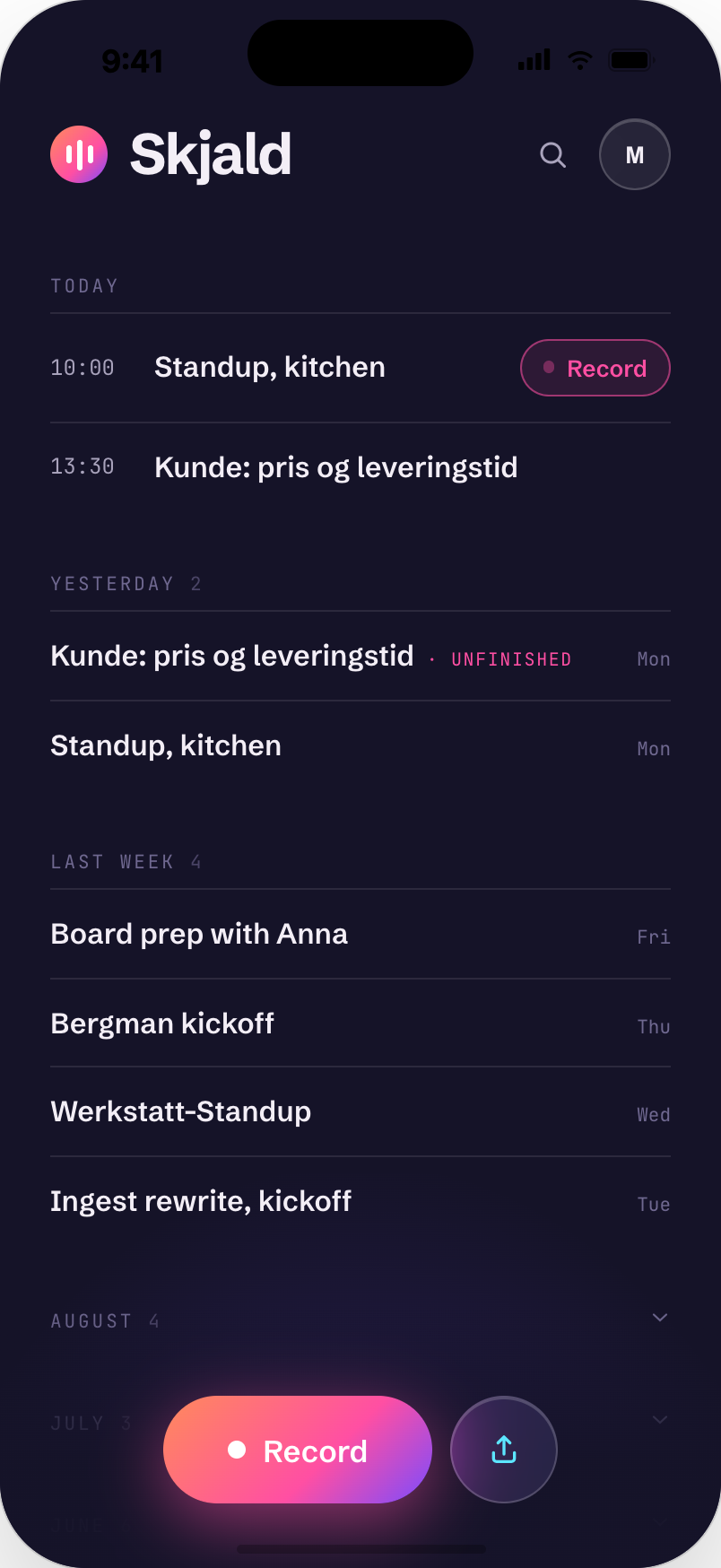
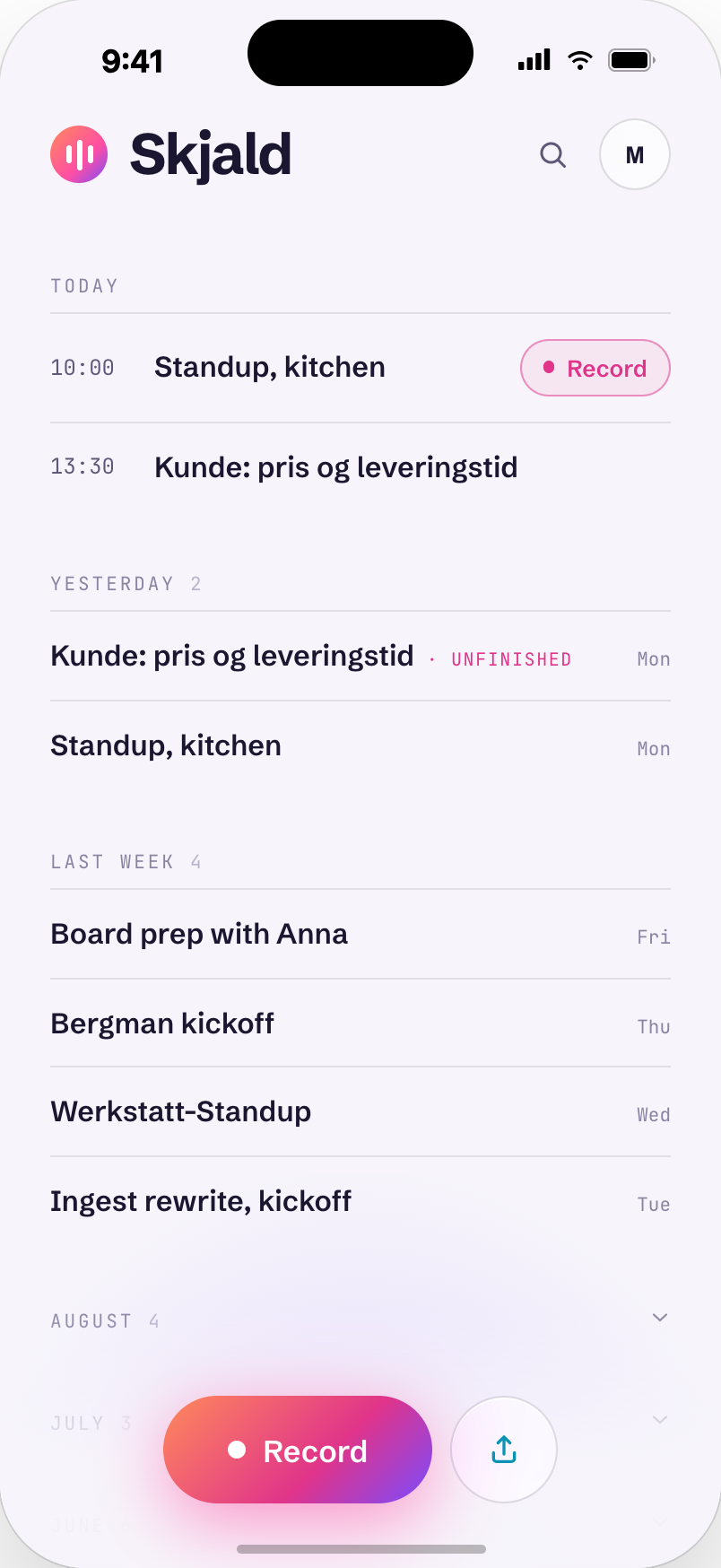
Skjald reads your calendar on the device and reminds you before a meeting. Tap Record from the alert.
Mac
Records meetings and calls, including the call app’s audio.
iPhone and iPad
Record the room, read the outcome, ask, send.
Apple Watch
Pre-release (TestFlight): records on the wrist and sends the audio to your iPhone, which writes it up.
Windows and Linux
Planned, no date.
Europe deserves digital independence.
“Europe should own its digital future. That includes the conversations that shape it.”
This is not about shutting anyone out. It is about a genuine choice: AI that is useful without asking you to hand over your conversations first. Made in Denmark by Mesh Firm ApS, a Danish company, for people and organisations across Europe.
Keep private conversations private.
Get the benefits of AI, a clear write-up and answers about what was said, without handing over your data. No account, no subscription and no server to set up.
Meeting intelligence without external cloud dependency.
Keep control of confidential conversations on the devices your people already use. Made with law firms, consultancies, finance, the public sector, researchers, healthcare and European companies in mind.
- Today: by default your meetings are recorded, transcribed and written up on your device, and we have no access to them.
- Not claimed: Skjald is not free of non-European technology. It runs on Apple devices and uses open models and open-source tools made around the world. Independence here means control over your data, not every part of the stack.
- Skjald Cloud is optional and not limited to the EU. It processes audio and text through OpenRouter, which passes each request to a model provider it chooses. If a meeting must stay with you, leave Cloud off.
- Our aim: making digital independence practical.
Private AI shouldn’t require a subscription.
Skjald on your device is free, with no account and no cap on meetings. Skjald Cloud is an optional paid plan, for when you want it.
- Unlimited recording, transcription and write-ups on your device
- No account needed
- Your meetings stay on the device by default
- Process a meeting in the cloud when your device is not enough
- Off unless you turn it on, for one meeting or in Settings
- Audio is deleted when transcription ends; results within 24 hours
Mødereferat skabelon
Kopiér en færdig skabelon til mødereferat, og følg fem trin til et godt referat af et møde. Skjald transskriberer på din enhed som standard.Dagsorden skabelon
Kopiér en dagsorden skabelon med tid, ansvarlig og ønsket beslutning pr. punkt. Skjald transskriberer på din enhed som standard.Mötesprotokoll mall
Kopiera en färdig mall för mötesprotokoll och följ fem steg till ett protokoll som folk läser. Skjald transkriberar på din enhet som standard.Mötesanteckningar
Kopiera en mall för mötesanteckningar med fyra delar: syfte, anteckningar, beslut och uppgifter. Skjald transkriberar på din enhet som standard.Dagordning mall
Kopiera en färdig mall för dagordning med tid, ansvarig och önskat beslut per punkt, och följ fem steg till ett möte som leder till beslut.
Before you start.
Does my audio leave the device?
Skjald transcribes on your device by default. Your audio and text leave it only if you turn on Skjald Cloud or pick an outside AI provider.
Does a bot join my calls?
No. Skjald captures audio on your own device, so nobody has to invite it.
Do I need an account?
Not to use Skjald on your device. Skjald Cloud needs one: an email address or Sign in with Apple.
What do I pay for?
Nothing to use Skjald on your device. Skjald Cloud is an optional paid plan for processing a meeting in the cloud. Email us for early access.
Is Skjald free of American technology?
No, and we do not claim it is. Skjald runs on Apple devices and uses open models and open-source tools made around the world. What it gives you is control: by default your meetings are processed and kept on your device.
Can someone ask to be removed?
Yes. You can replace a name, remove their lines or remove their meetings.
Skjald for Mac.
Up and running in three steps
1. Download and open
Pick your system above. Follow the short setup: it prepares the models that run on your device.
2. Press record
Open your call or sit in the room. Skjald records your microphone and the call’s audio. No bot joins.
3. Get the write-up
When you stop, Skjald writes the summary, decisions and to-dos. You can ask questions about the meeting, too.